You run one Shopify account, but VAT treats your shop floor and your website as two very different beasts. The till takes mixed-rate cash and card payments across the counter. The online store ships to UK homes, to VAT-registered businesses, and sometimes straight from an overseas supplier. When the quarter ends, all of it has to land in one VAT return without double-counting, under-declaring, or quietly dropping the import VAT.
This guide shows you how to reconcile combined Shopify POS and online VAT in practice. We cover daily gross takings for the till, how the £135 import rule and postponed VAT accounting change the online side, and exactly which VAT return box each figure belongs in.
It's written for UK VAT-registered retailers selling through both Shopify POS and the Shopify online store. Figures relate to the 2025/26 tax year.
Why does combined Shopify VAT go wrong?
In short: your POS and online channels often use different VAT logic, settle on different dates, and report in different Shopify exports, so the totals rarely line up by accident. You have to reconcile them deliberately.
The classic mistakes we see are pulling the figure from your bank payout instead of gross sales, forgetting that some online orders carry no UK supply VAT for you to declare, and ignoring import VAT on stock you bring in. Each one quietly distorts a box on the return.
The fix is to treat the till and the website as separate streams, account for each on its own correct basis, then add them together at the end.
How do you account for VAT on Shopify POS takings?
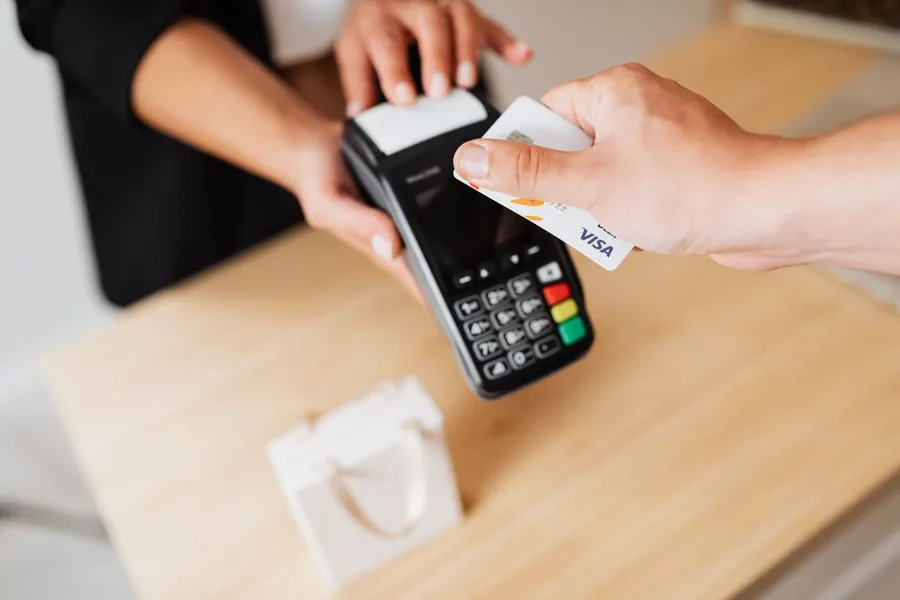
Your shop floor is a classic retail environment: lots of small sales, mixed VAT rates, and no requirement to issue a full VAT invoice for each one. HMRC lets retailers in this position use a retail scheme to work out output VAT.
The most common fit for a Shopify POS till is the Point of Sale scheme. You can use it if your annual VAT-inclusive retail turnover is no more than £130 million, and your till can identify the correct VAT liability of each item at the moment of sale. Shopify POS does this when your products are set up with the right tax rates, so a zero-rated children's item and a standard-rated accessory are split correctly at the counter. See HMRC's Point of Sale Retail Scheme guidance (VAT Notice 727/3) for the full conditions.
What are daily gross takings?
Under the scheme you calculate output VAT from your daily gross takings (DGT), not from a tidy invoice trail. DGT means the full value of your retail sales as the payments come in: all cash, plus the full value of card, voucher and other non-cash sales at the point of the transaction.
DGT is gross of VAT. You then apply the VAT fraction to the standard-rated portion. For the 20% standard rate, the fraction is 1/6 of the gross figure. For the 5% reduced rate it's 1/21.
You can adjust DGT for genuine items like refunds, dishonoured cheques and card chargebacks. You cannot reduce it for till shortages caused by theft or sloppy handling. HMRC sets this out in VAT Notice 727/3 and defines DGT in the VAT retail schemes manual.
The card payout trap
The single most common POS error is recording the money Shopify Payments deposits in your bank as your sales figure. It isn't. The payout is net of Shopify's processing fees and is timed to the settlement cycle, not the sale.
Your DGT is the gross value of what you sold at the till, before fees and before any payout timing. Reconcile the gross till sales to your VAT records, then treat the processing fees as a separate input cost on their own VAT footing.
How is online store VAT different from POS VAT?
Goods you sell through your own Shopify online store to UK customers are standard UK supplies. You charge UK VAT at the right rate, declare the output VAT, and the value of the sale goes into your turnover. So far, much like the till.
Three things make the online side trickier than the shop floor.
First, you may sell to VAT-registered business customers who need a proper VAT invoice, not just a till receipt. Second, your stock may be imported, which brings import VAT and the £135 rule into play. Third, if any orders flow through a separate online marketplace rather than your own Shopify checkout, the marketplace can become liable for the VAT instead of you.
That last point matters. Where goods are already located in the UK and sold to a UK customer through an online marketplace, the marketplace is liable to account for the VAT on that sale, not you. The same applies to imported consignments of £135 or less sold via a marketplace. HMRC explains this in charging VAT when using an online marketplace. Sales through your own Shopify store are not marketplace sales, so you remain liable for those. If you sell across both your own store and a marketplace, you must split the two and not declare output VAT twice on the marketplace-collected portion.
What is the £135 import rule and how does it hit your VAT?
For goods imported into the UK in a consignment valued at £135 or less, the point at which VAT is collected shifts from the border to the point of sale. UK supply VAT becomes due when you sell the goods, rather than import VAT being charged when they arrive.
The £135 figure is the value of the whole consignment, not each individual item. Non-commercial gifts and goods subject to excise duty sit outside these rules. HMRC covers this in VAT and overseas goods sold directly to customers in the UK.
In plain terms: if you, as the seller, are bringing in low-value consignments and selling them to UK consumers through your own Shopify store, you account for the supply VAT at the point of sale in the normal way. If those same low-value imported goods are sold through an online marketplace, the marketplace handles that VAT instead. Knowing which channel a sale came through decides who declares it.
How does postponed VAT accounting fit in?
For consignments worth more than £135, import VAT is normally due when the goods enter the UK. Paying it at the border and reclaiming it later ties up cash. Postponed VAT accounting (PVA) lets you account for that import VAT on your VAT return instead, so you declare and reclaim it on the same return and the cash never leaves your account.
When you use PVA, the import VAT goes into two boxes that cancel out if you can reclaim it in full. You add the import VAT to Box 1, claim the same amount back in Box 4, and put the value of the imported goods (excluding VAT) in Box 7. HMRC sets this out in completing your VAT return to account for import VAT.
You get the figures from your monthly postponed import VAT statement, accessed through the Customs Declaration Service. It's usually available by the tenth working day of the month, and you must download and keep each statement in your records. See get your postponed import VAT statement.
How do you reconcile it all into one VAT return?
The reconciliation is a four-step routine. Do it the same way every quarter and the numbers stop fighting you.
- Pull POS gross sales by VAT rate. Take your Shopify POS daily gross takings, split by rate, from the till reports. This is your shop-floor output VAT source. Apply 1/6 to the standard-rated DGT and 1/21 to any reduced-rated DGT.
- Pull online store sales by VAT rate. Take gross online sales where you are the liable seller, split by rate. Exclude any marketplace-collected sales where the marketplace accounted for the VAT.
- Layer in imports. Add PVA import VAT to Box 1 and Box 4, and the import values to Box 7. Apply supply VAT on £135-or-under consignments you sold directly.
- Reconcile to gross, then to the bank. Check that POS plus online gross sales agree to your Shopify gross sales reports, not to your bank payouts. Treat Shopify and card fees as separate input VAT items.
Here is where each combined figure lands.
| VAT return box | What it captures for a combined Shopify seller |
|---|---|
| Box 1 | Output VAT on POS takings, output VAT on your own online sales, plus PVA import VAT |
| Box 4 | Input VAT on stock and costs, VAT on Shopify and card fees, plus PVA import VAT reclaimed |
| Box 6 | Total value of your sales excluding VAT (POS and your own online sales) |
| Box 7 | Total value of purchases excluding VAT, including the value of imported goods |
Box 1 and Box 4 definitions, and the requirement to include import values in Box 7, come from HMRC's how to fill in and submit your VAT return (Notice 700/12).
Worked example: a quarter of combined Shopify VAT
Illustrative example. Brightwell Homeware, a fictional VAT-registered retailer, runs a Shopify POS till in its shop and a Shopify online store. All figures are for one VAT quarter in 2025/26 and are made up to show the method.
POS daily gross takings for the quarter:
- Standard-rated (20%) goods: £42,000 gross
- Zero-rated goods: £6,000 gross
Online store sales where Brightwell is the liable seller:
- Standard-rated (20%) goods: £30,000 gross
- A separate marketplace channel collected VAT on £4,000 of UK sales, so Brightwell declares none of that
Imports in the quarter:
- One consignment of stock worth £8,000, imported under PVA, import VAT £1,600
- Low-value imported consignments (each £135 or under) sold directly through the Shopify store: included within the £30,000 online standard-rated figure above
Costs:
- Shopify and card processing fees with £900 of recoverable input VAT
- UK stock and overheads with £4,500 of other recoverable input VAT
Output VAT (Box 1)
- POS standard-rated: £42,000 x 1/6 = £7,000
- POS zero-rated: £6,000 x 0 = £0
- Online standard-rated: £30,000 x 1/6 = £5,000
- PVA import VAT: £1,600
- Box 1 total: £7,000 + £5,000 + £1,600 = £13,600
Input VAT (Box 4)
- Fees input VAT: £900
- Other input VAT: £4,500
- PVA import VAT reclaimed: £1,600
- Box 4 total: £900 + £4,500 + £1,600 = £7,000
Net VAT payable
- Box 5: £13,600 - £7,000 = £6,600
Box 6 (sales excluding VAT)
- POS standard net: £42,000 x 5/6 = £35,000
- POS zero-rated: £6,000
- Online standard net: £30,000 x 5/6 = £25,000
- Box 6 total: £35,000 + £6,000 + £25,000 = £66,000
Box 7 (purchases excluding VAT)
- This includes the £8,000 imported goods value plus the net value of other purchases, the exact total depending on Brightwell's full cost ledger for the quarter.
The PVA entry of £1,600 sits in both Box 1 and Box 4, so it nets to nil in the net VAT figure, exactly as intended. The marketplace-collected £4,000 appears nowhere in Brightwell's output VAT, because the marketplace accounted for it.
What does MTD require for your Shopify records?
Making Tax Digital for VAT applies to all VAT-registered businesses. You must keep your VAT records digitally and file through compatible software, keeping records for at least six years. HMRC's record keeping for VAT (Notice 700/21) sets out what counts.
For a retail scheme, MTD specifically lets you keep a digital record of your daily gross takings rather than every single transaction. You can take the DGT from your Shopify till's end-of-day Z reading and record that figure digitally, keeping the underlying reports too.
The catch is digital links. Once a figure is in your digital records, moving it between programs must use a digital link, not a manual copy and paste. So exporting Shopify reports and retyping the totals into your VAT software breaks the chain. Use a digital link, an import file, or an integration so the data flows without rekeying.
If you sell across the shop floor and online, getting this plumbing right early is what makes quarter-end painless. Our accounting support for Shopify sellers is built around exactly this kind of combined-channel reconciliation, and our bookkeeping service keeps the digital records MTD-ready between returns.
FAQs
Can I use the Point of Sale scheme for my Shopify till?
Usually yes, if your VAT-inclusive retail turnover is no more than £130 million and your till identifies the correct VAT rate of each item at the moment of sale. Shopify POS does this when products carry the right tax settings. You then apply the VAT fraction to your daily gross takings to get output VAT.
Do I record my Shopify payout or my gross sales for VAT?
Gross sales, every time. The bank payout is net of Shopify and card fees and follows the settlement cycle, not the sale date. Declare VAT on gross takings, then claim input VAT on the fees separately.
Who accounts for VAT if a sale goes through an online marketplace?
For goods in the UK sold to a UK customer through an online marketplace, the marketplace accounts for the VAT, not you. The same applies to imported consignments of £135 or less sold via a marketplace. Sales through your own Shopify store stay your responsibility.
Where does import VAT go on my VAT return under PVA?
Add the import VAT to Box 1 and reclaim the same amount in Box 4, so it nets to nil if fully recoverable. Put the value of the imported goods, excluding VAT, in Box 7. Take the figures from your monthly postponed import VAT statement on the Customs Declaration Service.
What is the £135 import rule?
For goods imported in a consignment worth £135 or less, UK supply VAT is due at the point of sale rather than import VAT at the border. The £135 is the value of the whole consignment, not each item. Gifts and excise goods are outside these rules.
How long do I keep my Shopify VAT records?
At least six years, kept digitally under Making Tax Digital. For a retail scheme you can keep a digital record of daily gross takings rather than each transaction, but you must still retain the supporting reports.
Key takeaways
- Treat your POS till and online store as separate VAT streams, then combine them at the end.
- POS output VAT comes from daily gross takings under the Point of Sale scheme, using the 1/6 and 1/21 fractions.
- Never use your Shopify payout as the sales figure; it is net of fees.
- The £135 rule and online marketplace liability decide who declares the VAT, so split direct and marketplace sales.
- Under PVA, import VAT goes in Box 1 and Box 4 and nets out; import values go in Box 7.
Selling across the counter and online at once makes VAT genuinely fiddly. If you'd like a second pair of eyes on your combined Shopify return, book a call with a Zmartly accountant and we'll get your POS and online VAT reconciling cleanly.