You run a WooCommerce store on your own hosting, sales are climbing, and a nagging question keeps surfacing: at what point do you have to register for VAT, and who tells HMRC about it?
Here is the part that catches a lot of self-hosted sellers off guard. There is nobody else in the loop. On Amazon or eBay, a marketplace sits between you and the customer and, in defined cases, handles VAT for you. On your own WooCommerce site, you are the seller, the checkout, and the tax reporter all at once. The £90,000 threshold is yours to monitor, and the VAT is yours to declare.
This guide explains exactly how the threshold works for a self-hosted store, what counts towards it, the two tests that can trigger registration, and the worked maths so you can see when you cross the line. It is written for UK-based WooCommerce sellers and uses 2025/26 figures throughout.
What is the VAT registration threshold for a WooCommerce store?
If your VAT taxable turnover goes over £90,000 (the threshold from 1 April 2024) you must register for VAT, and because your WooCommerce store is self-hosted there is no marketplace doing it for you, so you self-declare to HMRC yourself.
That single number is the whole game. It is not a calendar-year figure and it is not your profit. It is a rolling measure of your taxable sales, and it applies to your business as a whole, not just your online shop. We will unpack each part of that below.
Why does "self-hosted" change anything?
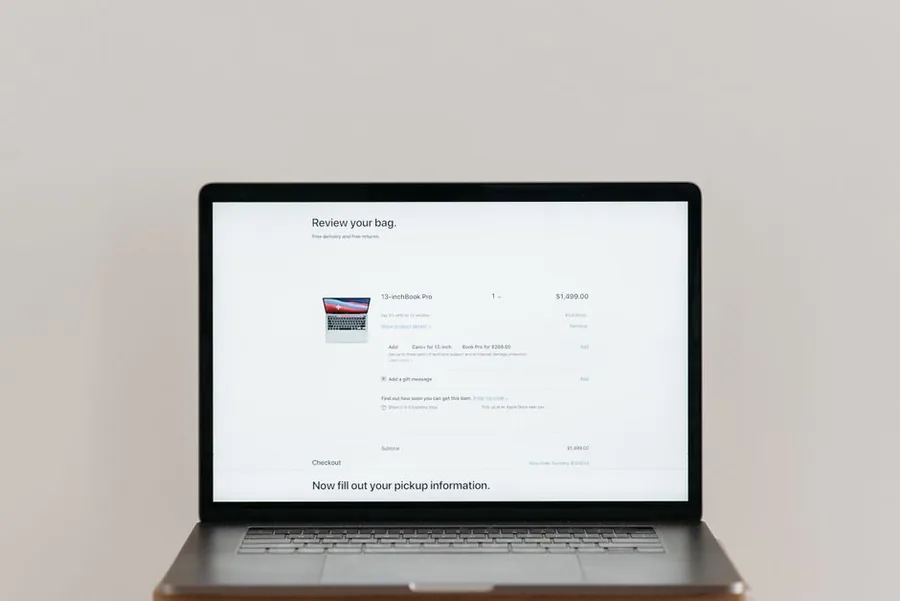
WooCommerce is a plugin you install on your own WordPress site, on your own hosting. That makes you the merchant of record. You are not "selling on a platform" in the way you are on Amazon or eBay, where the platform connects third-party sellers to buyers and processes the money.
This matters for VAT in three concrete ways.
First, there is no deemed-supplier rule working in your favour. The rules that make an online marketplace responsible for charging and accounting for UK VAT apply to marketplaces, not to a shop selling its own goods through its own website. So the duty to register, charge, and report sits entirely with you.
Second, there is no digital-platform report being filed about you. HMRC's reporting rules for digital platforms make platform operators report seller data. They explicitly do not apply where you "sell your own goods or services directly through your own website or app". Nobody is sending HMRC a summary of your sales, which cuts both ways: less paperwork from a third party, but no safety net either. We unpack exactly whether WooCommerce reports your sales to HMRC in a separate guide if you want the detail.
Third, your VAT collection is plugin-driven. WooCommerce calculates and shows VAT based on the tax settings, rates, and any extensions you have configured. If those settings are wrong, your store can under-charge or over-charge VAT for months without anyone flagging it. Misconfiguration is a genuine and common failure mode on self-hosted stores, which is why getting the registration and settings right at the outset matters so much.
If ecommerce VAT is your world, our accounting for ecommerce sellers page sets out how we help self-hosted stores stay compliant without the guesswork.
What counts towards the £90,000 threshold?
VAT taxable turnover is the total value of everything you sell that is not VAT exempt or outside the scope of VAT. For a typical WooCommerce store selling physical or digital products, that means almost all of your sales count.
Per HMRC, taxable turnover includes:
- Standard-rated goods (most products, at the 20% standard rate)
- Reduced-rated goods (at the 5% reduced rate, where they apply)
- Zero-rated goods (0% rate, but they still count towards the threshold, this trips a lot of sellers up)
- Goods you hire or loan to customers
- Business goods you use for personal reasons
- Items you barter, part-exchange or give as gifts
- Services you receive from suppliers abroad that you have to reverse charge
It excludes VAT-exempt supplies and anything outside the scope of VAT, and the one-off sale of a capital asset (such as selling a van or a piece of equipment your business owned) is not part of taxable turnover.
The key trap for WooCommerce sellers is the zero-rated point. If you sell, say, children's clothing or most food items at 0%, you might assume those sales do not count because no VAT is charged on them. They still count towards the £90,000. A store can owe a registration duty while charging £0 of VAT on the products that pushed it over.
One more point. The threshold is measured on your whole business, not per sales channel. If you sell through WooCommerce and also do some in-person trade or another website, you add it all together. There is one VAT registration per business, not one per shop.
What are the two tests that trigger registration?
There are two separate tests. You must register if either one is met. Most sellers focus on the first and forget the second.
The backward look (rolling 12 months)
You must register if your total taxable turnover for the last 12 months goes over £90,000. This is a rolling 12-month window, not your accounting year or the calendar year. At the end of every month, you look back over the previous 12 months and add up taxable turnover.
If you go over, you have to register within 30 days of the end of the month in which you crossed £90,000. Your effective date of registration is the first day of the second month after you went over the threshold.
The forward look (next 30 days alone)
You must also register if you expect your taxable turnover to go over £90,000 in the next 30 days alone. This is a single 30-day window looking forward, not a rolling total.
In this case you have to register by the end of that 30-day period, and your effective date is the date you realised you would go over, not the date the turnover actually lands. This test bites when you win a large order or run a big promotion that you know will breach £90,000 in one short burst.
Illustrative example: when does a WooCommerce store cross the line?
Illustrative example. Maya runs a self-hosted WooCommerce store selling homeware. Her store reports the following taxable sales (all figures are her sales excluding any VAT, for the rolling 12-month backward-look test):
| Month | Monthly taxable sales | Rolling 12-month total |
|---|---|---|
| Jun 2025 to Apr 2026 (11 months) | (various) | £82,500 |
| May 2026 | £9,200 | £91,700 |
At the end of May 2026, Maya's rolling 12-month taxable turnover reaches £91,700, which is over £90,000. She has crossed the backward-look threshold in May 2026.
Working through the deadlines:
- She crossed the threshold in May 2026.
- She must register within 30 days of the end of that month, so by 30 June 2026.
- Her effective date of registration is the first day of the second month after she went over, which is 1 July 2026.
From 1 July 2026 her WooCommerce checkout needs to charge VAT correctly. On a standard-rated £30 product, that is the 2025/26 standard rate of 20%, so £6 of VAT on a £30 net price, making the VAT-inclusive price £36. In her WooCommerce tax settings she has to decide whether her listed prices are VAT-inclusive or VAT-exclusive and configure the 20% rate before that date, or she risks absorbing the VAT out of her own margin on every sale.
The arithmetic to keep checking: £82,500 + £9,200 = £91,700, which is £1,700 over the £90,000 threshold. And the VAT on a £30 net sale is £30 multiplied by 20%, which is £6.
What if my sales spike just once?
There is a relief for genuine one-off spikes. If your taxable turnover goes over £90,000 temporarily, you can apply to HMRC for an "exception" from registration.
To qualify, both of these have to be true: your taxable turnover went over the registration threshold in the last 12 months, and you can show that your taxable turnover will not go over the deregistration threshold of £88,000 (the figure from 1 April 2024) in the next 12 months.
You apply in writing with evidence, and HMRC decides. This is not automatic, and it is not a way to dodge registration if your trend is genuinely upward. A Black Friday surge on a WooCommerce store that then settles back down can be a candidate. A store that is simply growing past £90,000 is not.
How is a WooCommerce store different from selling on Amazon or eBay?
This is the heart of the self-hosted question, and it is worth a clear side-by-side. The difference is not the £90,000 number, which is the same for everyone. The difference is who does the work.
| Responsibility | Self-hosted WooCommerce store | Amazon, eBay and similar marketplaces |
|---|---|---|
| Who monitors the £90,000 threshold | You do | You do |
| Who collects VAT at checkout | You do, via your WooCommerce tax settings | The marketplace, in the cases where it is the deemed supplier |
| Deemed-supplier rule | Does not apply, you are the seller | Applies to defined cases (for example overseas-owned goods located in the UK, and imported consignments of £135 or less) |
| Digital-platform report to HMRC about your sales | None filed, you sell directly through your own site | The platform operator may report seller data |
| Who files the VAT return | You do | You do (the marketplace accounting for VAT in deemed-supplier cases does not file your return for you) |
The takeaway: on a marketplace, in specific situations the platform charges and accounts for the VAT instead of you. On your own WooCommerce site none of that happens automatically. Every part of VAT compliance, from spotting the threshold to configuring the checkout to filing the return, is yours.
What happens after you register?
Once registered, three things follow.
You charge VAT at the right rate on your taxable sales. For most WooCommerce products that is the 20% standard rate for 2025/26. You configure this in WooCommerce's tax settings and, if you sell at mixed rates, you assign the correct rate (20%, 5% reduced, or 0% zero-rated) to each product class. Getting this wrong is common, so if you suspect your store has been charging the wrong VAT, see our guide on how to spot and correct a WooCommerce VAT plugin set up wrong.
You file VAT returns, usually quarterly, under Making Tax Digital for VAT. MTD is mandatory for all VAT-registered businesses, so you keep digital records and submit through compatible software. A WooCommerce store typically connects its sales data into bookkeeping software that talks to HMRC.
You complete the VAT return boxes. The two that matter most for a straightforward store are Box 1 (VAT due on your sales) and Box 6 (the total value of your sales excluding VAT). Here is the standard layout so you can sanity-check what your software produces.
| Box | What it contains |
|---|---|
| Box 1 | VAT due in the period on sales and other outputs |
| Box 2 | VAT due on acquisitions of goods made in Northern Ireland from EU member states |
| Box 3 | Total VAT due (Box 1 plus Box 2) |
| Box 4 | VAT reclaimed in the period on purchases and other inputs |
| Box 5 | Net VAT to pay to HMRC or reclaim (the difference between Box 3 and Box 4) |
| Box 6 | Total value of sales and all other outputs excluding any VAT |
| Box 7 | Total value of purchases and all other inputs excluding any VAT |
Worth knowing: your store's hosting, premium plugins, theme licences and developer time are business costs. Many are revenue expenses you can deduct, and once you are VAT-registered you can usually reclaim the input VAT on them in Box 4. We cover which of these count as allowable in our guide to whether WordPress hosting and plugins are tax deductible. Larger one-off build work can sit on the capital-versus-revenue line, which is a judgement call worth getting right. If you want a hand with that, our team handles it as part of tax advisory for ecommerce businesses.
What about EU and overseas customers?
If your WooCommerce store sells to consumers outside the UK, the £90,000 UK threshold is only part of the picture.
For digital services sold to private consumers in the EU, the place of supply is where the consumer is located, so EU VAT can be due from the first sale, regardless of your UK turnover. You either register for VAT in each EU country where you have consumers, or use the non-Union VAT One Stop Shop (OSS) to report it through a single return. The UK £90,000 threshold does not shelter those EU sales.
For goods, separate rules apply for exports and for low-value consignments, and because your store is self-hosted, configuring the right tax treatment per destination is on you and your plugins. This is exactly where WooCommerce misconfiguration causes the most expensive mistakes, so it is worth a proper review before you scale internationally.
Frequently asked questions
Does turnover on my WooCommerce store count separately from my other sales?
No. The £90,000 threshold applies to your whole business. If you sell through WooCommerce and also trade elsewhere, you add all the taxable turnover together. There is one VAT registration per business, not one per channel.
Do zero-rated sales count towards the VAT threshold?
Yes. Zero-rated sales are taxable supplies at a 0% rate, so they count towards the £90,000 even though you charge no VAT on them. Only VAT-exempt and out-of-scope supplies are left out. This is a common WooCommerce blind spot.
Will WooCommerce register me for VAT automatically?
No. WooCommerce is software running on your own hosting. It does not monitor your threshold or talk to HMRC for you. Unlike a marketplace that can act as deemed supplier in defined cases, a self-hosted store leaves the entire duty to register and report with you.
What is my effective date of registration?
Under the backward-look test it is the first day of the second month after you went over £90,000. Under the forward-look test (expecting to exceed £90,000 in the next 30 days alone) it is the date you realised you would go over. From that date your checkout has to charge VAT correctly.
Can I register for VAT voluntarily before I hit £90,000?
Yes. You can register voluntarily even if your turnover is below £90,000. Sellers often do this to reclaim input VAT on stock, hosting and tools, or to look established to trade customers. Whether it helps depends on your customer mix and margins, so it is worth modelling first.
How much VAT will my WooCommerce store charge?
On standard-rated products it is the 2025/26 standard rate of 20%. On a £30 net-priced item that is £6 of VAT, giving a £36 VAT-inclusive price. Reduced-rate items are 5% and zero-rated items are 0%. You set the correct rate per product class in your WooCommerce tax settings.
Ready to get your WooCommerce VAT right?
Getting registration, checkout settings and your first MTD return right is far easier before a mistake compounds across thousands of orders. Talk to a Zmartly accountant for a free, no-obligation review of your WooCommerce store's VAT position. Book a call at zmartly.co.uk/contact.