To log in to your HMRC VAT account, go to the "sign in to your VAT online account" page on gov.uk, enter your Government Gateway user ID and password, then complete the two-step verification code, and select VAT from your business tax account. You're VAT registered, a return is due, and you just need to get into your account. Maybe you've forgotten your Government Gateway details, or you've signed in but can't see VAT anywhere on the screen.
This guide walks you through the HMRC VAT login step by step, shows you what you can actually do once you're in, and fixes the sign-in problems that trip people up most often. It's written for UK business owners who file their own VAT or want to understand the account their accountant uses.
We'll also cover how to check you're set up for Making Tax Digital (MTD), where to find your deadlines, and what the penalties are if you file or pay late under the current rules.
What is your HMRC VAT online account?
Your VAT online account is the secure portal where you manage your VAT registration with HMRC. If you're VAT registered, it's where you check deadlines, view what you owe, look back at past returns, and connect your accounting software. If you're not registered yet, our guide on when and how to register for VAT covers the £90,000 threshold first.
One thing it no longer does is let you type figures into a box and submit a return. Making Tax Digital for VAT is mandatory for all VAT-registered businesses, so returns have to be sent through MTD-compatible software that connects to HMRC. Your online account is still where you manage everything around that filing.
Think of it as the control centre. The return itself goes through software, but the account is where you keep your details right, track your dates, and confirm HMRC has received what you sent.
You sign in to the VAT account through the same HMRC online services portal you use for other taxes, with your Government Gateway credentials.
How do I log in to my HMRC VAT account?
Logging in takes a Government Gateway user ID and password. Here's the process.
Step 1: Go to the HMRC VAT sign-in page
Head to the sign in to your VAT online account page on gov.uk and select the sign-in button. This takes you to the Government Gateway login screen.
Step 2: Enter your Government Gateway credentials
You'll need:
- Your Government Gateway user ID (a string of digits you were given when you set the account up)
- Your password
These were created when you first registered for HMRC online services. If you run several taxes online (Self Assessment, PAYE, Corporation Tax), make sure you're using the user ID linked to your business VAT registration, not a personal one.
Step 3: Confirm your identity
HMRC uses two-step verification. You'll usually get an access code by text, voice call, or an authenticator app, and you enter it to continue. This protects your account if someone gets hold of your password.
Step 4: Go to your VAT services
Once you're in, your business tax account home page lists the taxes you manage. Select VAT to see your VAT-specific options.
Government Gateway or GOV.UK One Login?
For VAT you still sign in with your Government Gateway user ID and password. HMRC is gradually replacing Government Gateway with GOV.UK One Login, a single email-and-password sign-in with an identity check through the GOV.UK One Login app, which we walk through in our guide to HMRC identity verification and GOV.UK One Login. Since early 2026, brand-new individual taxpayers have been set up on One Login, but existing accounts and business taxes such as VAT stay on Government Gateway for now. HMRC expects to move existing users across during 2026 and 2027, with Government Gateway due to be switched off by around 2029. Until HMRC tells you your account has moved, keep using your Government Gateway details for VAT.
A few habits that save time:
- Bookmark the gov.uk sign-in page so you always start from the genuine site.
- Never share your Government Gateway details with anyone.
- Keep your contact details current so verification codes actually reach you.
- Store your credentials in a reputable password manager.
What can I do in my VAT online account?
Even though filing happens in software, the account still does a lot.
Check your registration details: your VAT number, registration date, and which accounting scheme you're on (standard, flat rate, cash accounting, or annual accounting).
Track deadlines and payments: when your next return is due, when payment is due, what you currently owe, and your payment history.
Review past returns: the figures you reported in earlier periods and confirmation that HMRC received them.
Manage software: authorise MTD-compatible software to submit on your behalf, see what currently has access, and remove access you no longer use.
Update business details: your address, contact information, and bank details for VAT repayments.
Read HMRC messages: correspondence and any requests for information sit in your account.
If you'd rather not juggle all of this yourself, Zmartly's VAT and tax advisory team can manage the account and filing for you.
What if I've forgotten my login details?
It happens, especially if you only sign in once a quarter. HMRC has a recovery route for both parts.
Forgotten user ID: use the recovery link on the sign-in page and enter the email address you registered with. HMRC emails your user ID to that address. Check your spam folder if it doesn't arrive within a few minutes.
Forgotten password: use the password reset link, enter your user ID, and follow the reset link HMRC emails you. You then set a new password that meets HMRC's security rules.
Forgotten both: you'll need to recover your user ID first, then reset the password. Have your VAT registration number and business details to hand in case HMRC asks you to confirm your identity.
If you're stuck, gov.uk has a dedicated help with signing in page, and HMRC's VAT helpline can talk you through identity checks. To avoid the scramble next time, save the confirmation email containing your user ID somewhere safe and keep your registered email address up to date.
How do I check I'm MTD ready?
Making Tax Digital for VAT applies to every VAT-registered business. HMRC now signs up new VAT registrations to MTD automatically unless they're already exempt or have applied for an exemption, so most businesses are enrolled without doing anything extra.
To be properly MTD ready, you need three things in place:
- Digital records. Keep your sales, purchases, and VAT figures in a digital form. Spreadsheets can count, but dedicated accounting software is far less error-prone, as our roundup of the best MTD software for small businesses explains.
- Compatible software. You must file through software that connects to HMRC's systems via its API. Manual keying-in and paper returns aren't accepted.
- An authorised connection. Your software has to be authorised to talk to your VAT account (more on that below).
To confirm your status, sign in to your VAT account and look for confirmation that you're signed up to Making Tax Digital for VAT. If you've recently registered and aren't sure, the gov.uk Making Tax Digital for VAT collection sets out exactly what's required.
How do I connect my software to HMRC?
Authorising software is quick:
- In your accounting software, find the option to connect to HMRC (often labelled "Authorise" or "Connect to HMRC").
- You'll be sent to the Government Gateway sign-in page. Sign in as normal.
- Review what the software is asking to do, usually read your VAT details and submit returns.
- Grant authority. You'll be sent back to your software with a confirmation.
You can switch software later by removing the old authorisation in your VAT account and authorising the new one. Just keep your digital records continuous through the move.
What are my VAT deadlines and the penalties for filing late?
Most businesses file VAT quarterly. The deadline to both submit the return and pay is one calendar month and seven days after the end of your VAT period.
| VAT period ends | Return and payment due |
|---|---|
| 31 March | 7 May |
| 30 June | 7 August |
| 30 September | 7 November |
| 31 December | 7 February |
Your own dates depend on when you registered, so always check the next-due date shown in your VAT account. If you're on the annual accounting scheme you file one return a year (due two months after your accounting year ends) and make advance payments through the year. Some businesses file monthly instead, with the same one-month-and-seven-days rule each period.
How do late submission penalties work?
For VAT periods starting on or after 1 January 2023, late filing uses a points-based system, not the old default surcharge. Each late return earns a penalty point. When you hit the threshold for your filing frequency, you get a £200 penalty, and a further £200 for every late return after that while you stay at the threshold.
| Filing frequency | Points threshold |
|---|---|
| Monthly | 5 points |
| Quarterly | 4 points |
| Annual | 2 points |
Source: gov.uk penalty points guidance.
How do late payment penalties work?
Paying late is charged separately:
- Pay within 15 days of the due date: no late payment penalty.
- Pay between 16 and 30 days late: a first penalty of 3% of the VAT outstanding at day 15.
- 31 days or more late: 3% of what was outstanding at day 15, plus 3% of what's outstanding at day 30, and then a second penalty that builds up daily at 10% per year on the balance still owed from day 31.
Source: gov.uk late payment penalty guidance.
If you can't pay on time, contact HMRC about a Time to Pay arrangement before the deadline. Agreeing one can reduce or remove late payment penalties.
What are the most common VAT login problems?
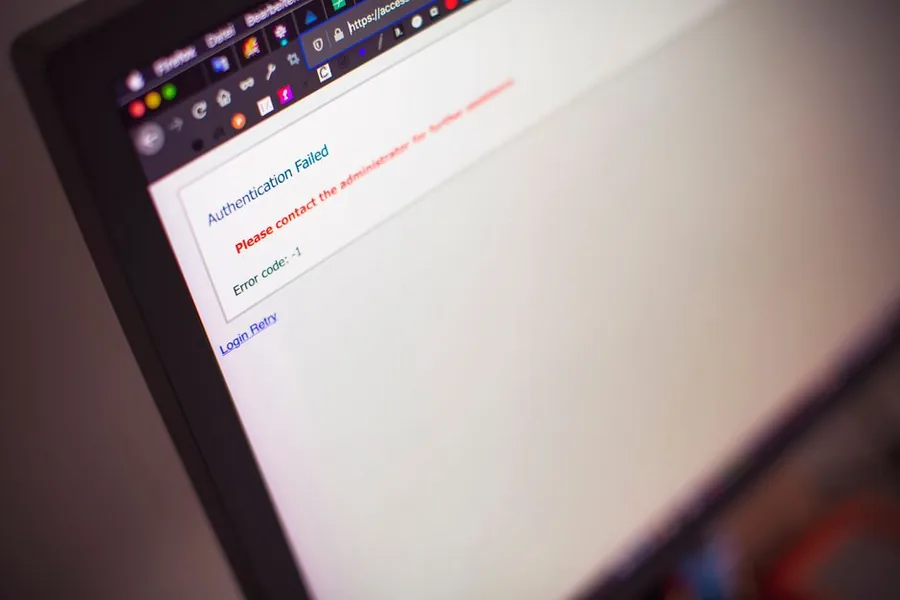
Your user ID or password is rejected. Check for typos, make sure Caps Lock is off, and try pasting from your password manager. If it still fails, use the recovery and reset links rather than guessing, which can lock the account.
You're in, but there's no VAT. This almost always means you're signed in to a Government Gateway account that isn't linked to your VAT registration. Many businesses end up with separate accounts for different taxes. Check your original VAT registration email for the right user ID, or contact HMRC to confirm which ID is tied to VAT.
Your verification code doesn't arrive. Confirm HMRC has your current mobile number, check you have signal, and wait a minute or two. An authenticator app is more reliable than text messages if codes keep going missing.
Your account is locked. Too many failed attempts will lock you out temporarily. Wait, then use the password reset service instead of trying again from memory.
Software won't connect. If your software can't talk to HMRC, check you're actually signed up to MTD and that you've completed the authorisation step in your VAT account. A new authorisation can take a short while to take effect.
Ready to hand VAT off your plate?
If signing in, chasing deadlines, and keeping MTD records is eating into your week, we can take it on. Zmartly's qualified accountants handle your VAT returns end to end, from digital record-keeping to on-time MTD filing, so you stay compliant without the admin.
Book a free call with a Zmartly accountant and we'll review your VAT setup.
FAQs
How do I log in to my HMRC VAT account?
Go to the "sign in to your VAT online account" page on gov.uk and select sign in. Enter your Government Gateway user ID and password, then complete the two-step verification code sent by text, call, or authenticator app. Once in, select VAT from your business tax account to reach your VAT services. Make sure you use the credentials linked to your business VAT registration rather than a personal account.
What is my HMRC VAT online account used for?
It's where you manage your VAT registration: checking your details and scheme, seeing when returns and payments are due, viewing what you owe and your payment history, reviewing past returns, authorising MTD-compatible software, updating your address or bank details, and reading HMRC messages. Since Making Tax Digital is mandatory, you file returns through software rather than the website, but the account remains essential for everything else.
What if I can log in but can't see VAT?
You're probably signed in to a Government Gateway account that isn't linked to your VAT registration. Many businesses have separate accounts for different taxes. Check your original VAT registration email for the correct user ID, or contact HMRC to confirm which Government Gateway ID is tied to your VAT account.
What are the penalties for filing my VAT return late?
For VAT periods starting on or after 1 January 2023, late filing uses penalty points. Each late return earns a point, and when you reach your threshold (2 points for annual, 4 for quarterly, 5 for monthly filers) you get a £200 penalty, plus a further £200 for each later late return while you're at the threshold.
What are the penalties for paying VAT late?
There's no penalty if you pay within 15 days of the due date. Paying 16 to 30 days late triggers a first penalty of 3% of the VAT outstanding at day 15. From 31 days late, that 3% is joined by another 3% of the balance at day 30, plus a second penalty building daily at 10% a year on what's still owed. A Time to Pay arrangement agreed before the deadline can reduce or remove these.
Do I still need to log in if I use MTD software?
Yes. Your software handles the actual return, but you still use the VAT account to view your full history, manage software authorisations, update business and bank details, read HMRC correspondence, and confirm HMRC received your return. It's worth signing in at least after each return to check everything went through.